ExpertPay
Native Mobile App
2021 - 2023 | Role, Lead App Designer
ExpertPay is a centralized, web-based electronic child support payment processing platform that serves as intermediatory for Payroll Service Providers, Employers, and Obligors to manage child support wage withholding payments and direct funds to individual states in compliance with state disbursement requirements.
View Interactive Prototype on Behance


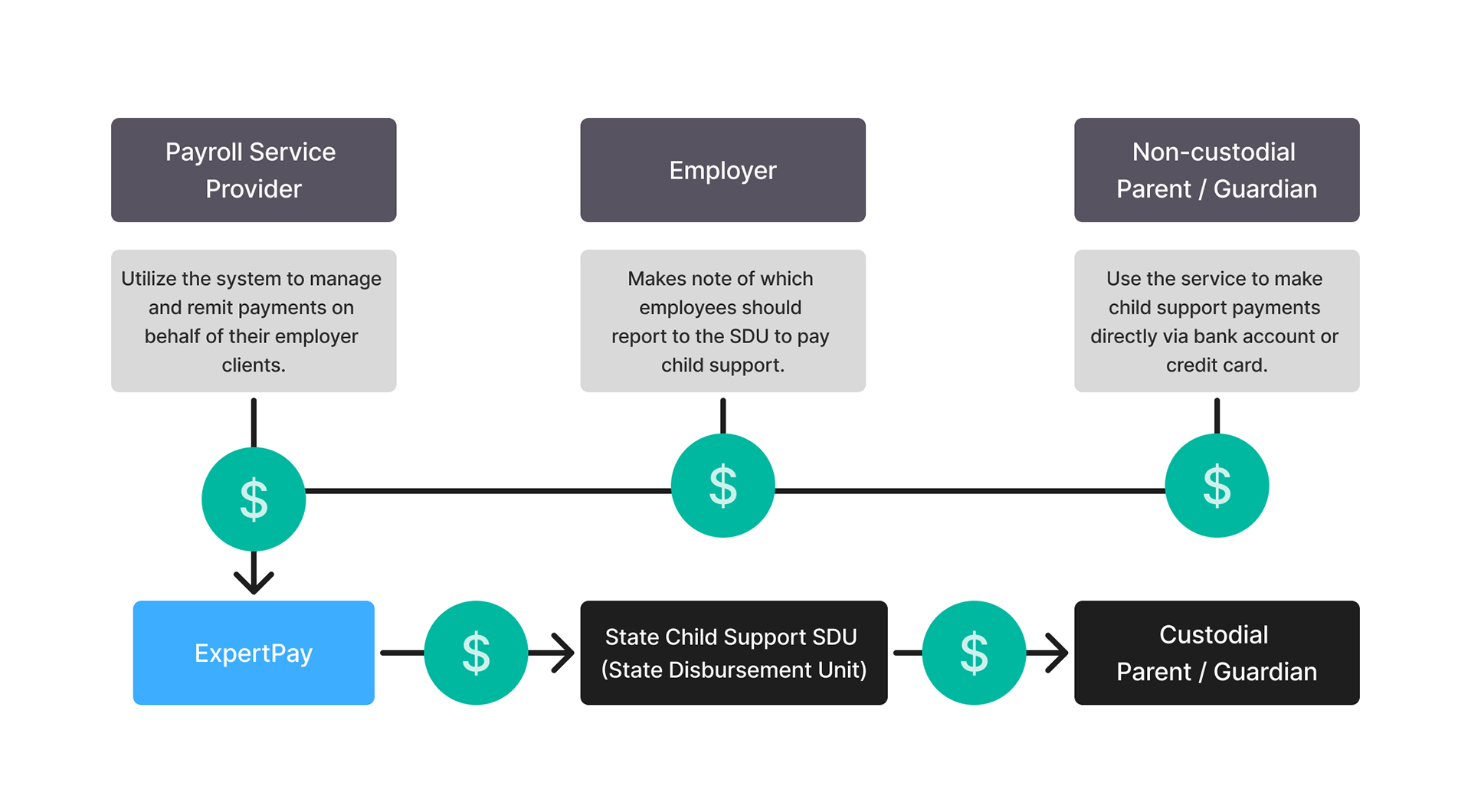
High level ExpertPay Functions
Project Background
ExpertPay’s web based only solution and worked well for managing the large volume of data for Payroll Service Providers and Employers However, the format proved to be cumbersome and unoptimized for average individual who wanted a simple way to make payments.
Objective
Create a modern, native consumer-facing app experience that caters to the needs of individual users group (obligors & parent paying child support), that streamlined case management and child support payments.
Existing Platform Review
My initial review of the website and mobile web highlighted several usability and experience gaps that informed the direction of the mobile app creation.
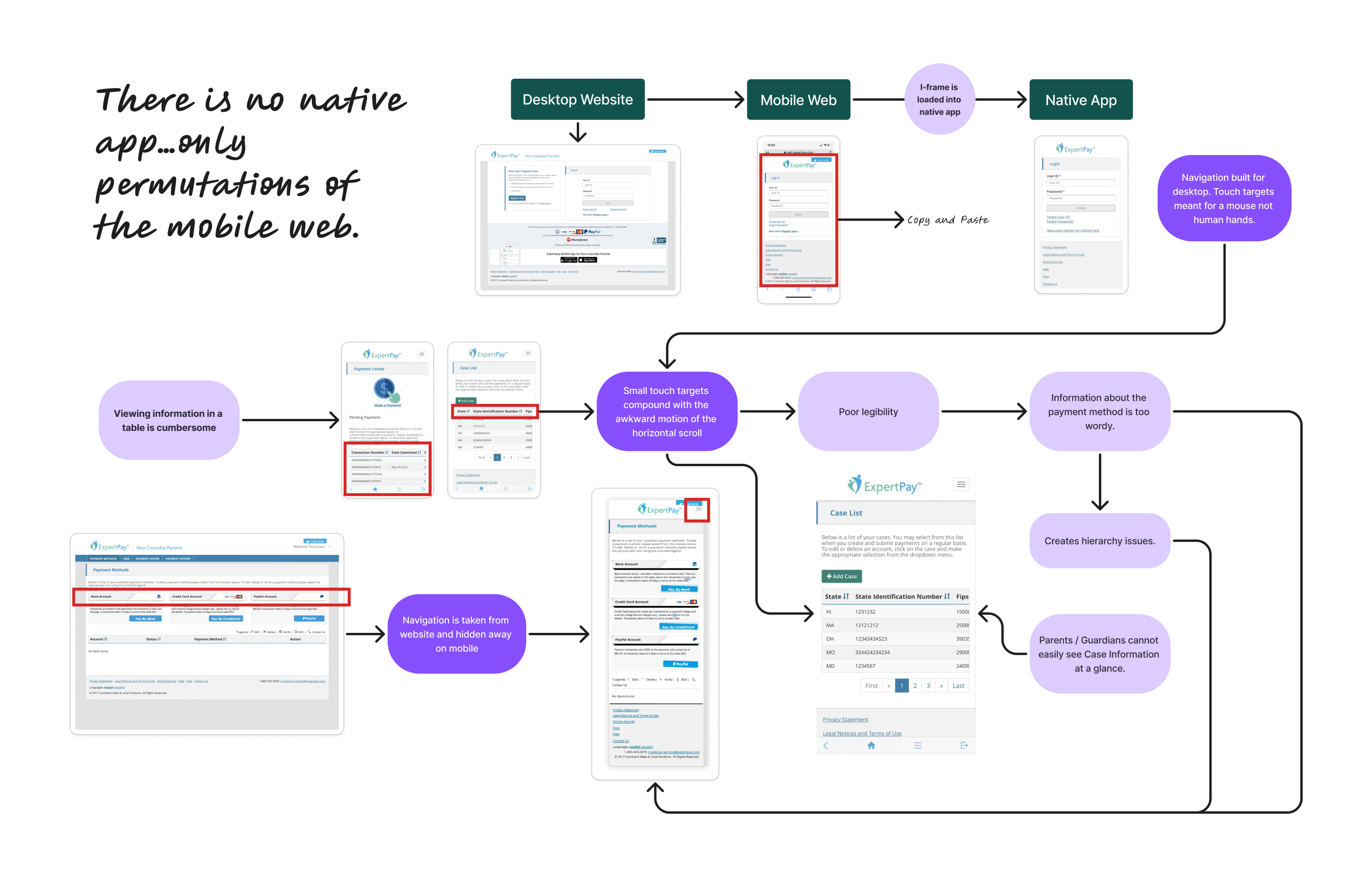
Key Areas of Friction:

Outdated payment experience
Did not reflect current mobile payment app design expectations such as notifications a dashboard.
Limited mobile optimization:
The interface was not fully adapted for smaller screen sizes, creating issues such as horizontal scrolling and touch targets that were difficult to use.
Unclear information hierarchy
Key actions and details were difficult to find, making common tasks such as managing child case details or editing payment information less intuitive for users.
App Information Architecture
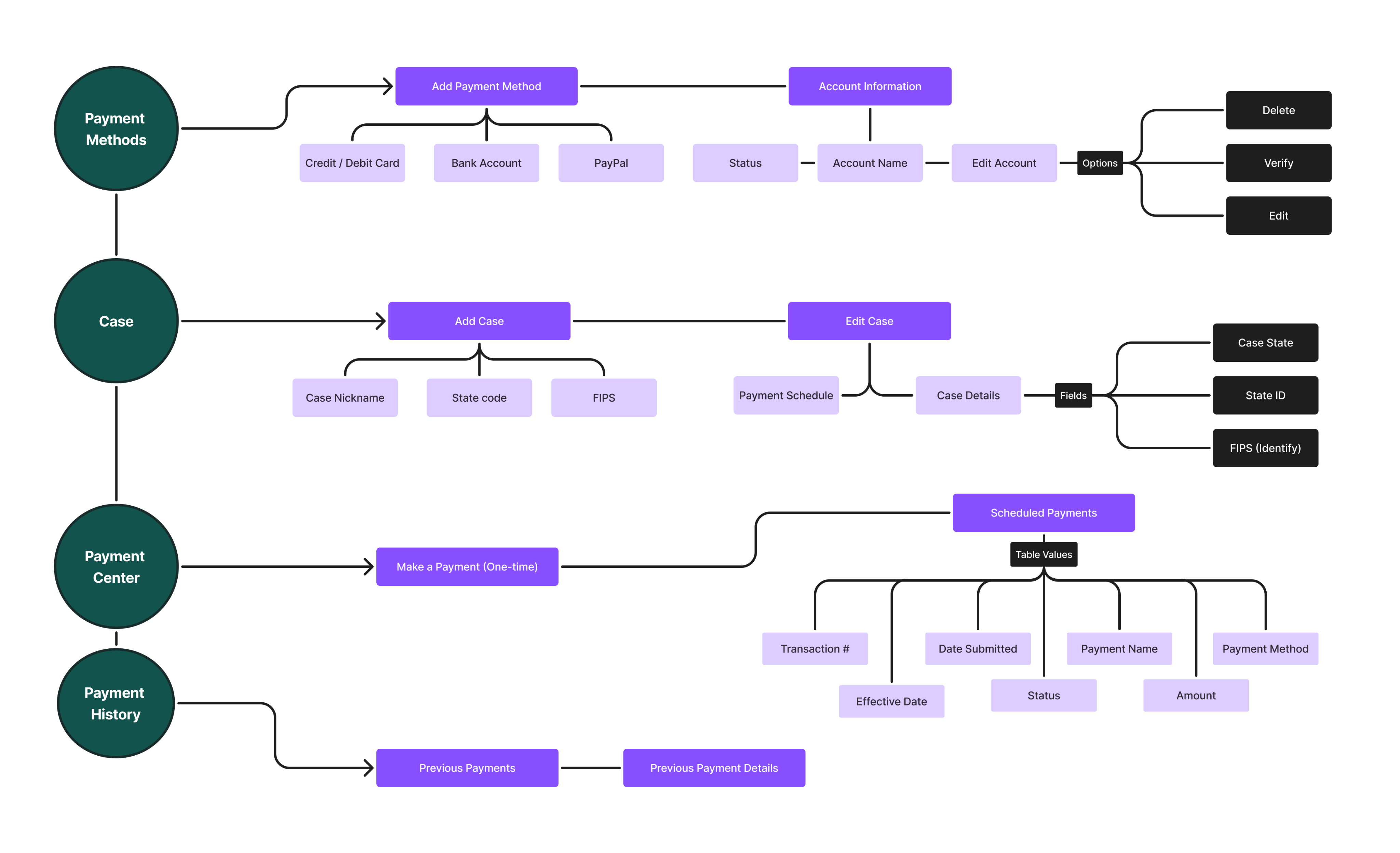
The app was organized around four primary sections: Payment Methods, Cases, Payment Center, and Payment History. These sections later became the foundation for the bottom navigation and helped define the core structure of the mobile experience. From there, I expanded each section into specific user actions and information requirements, which guided the development of detailed screen flows.
Process
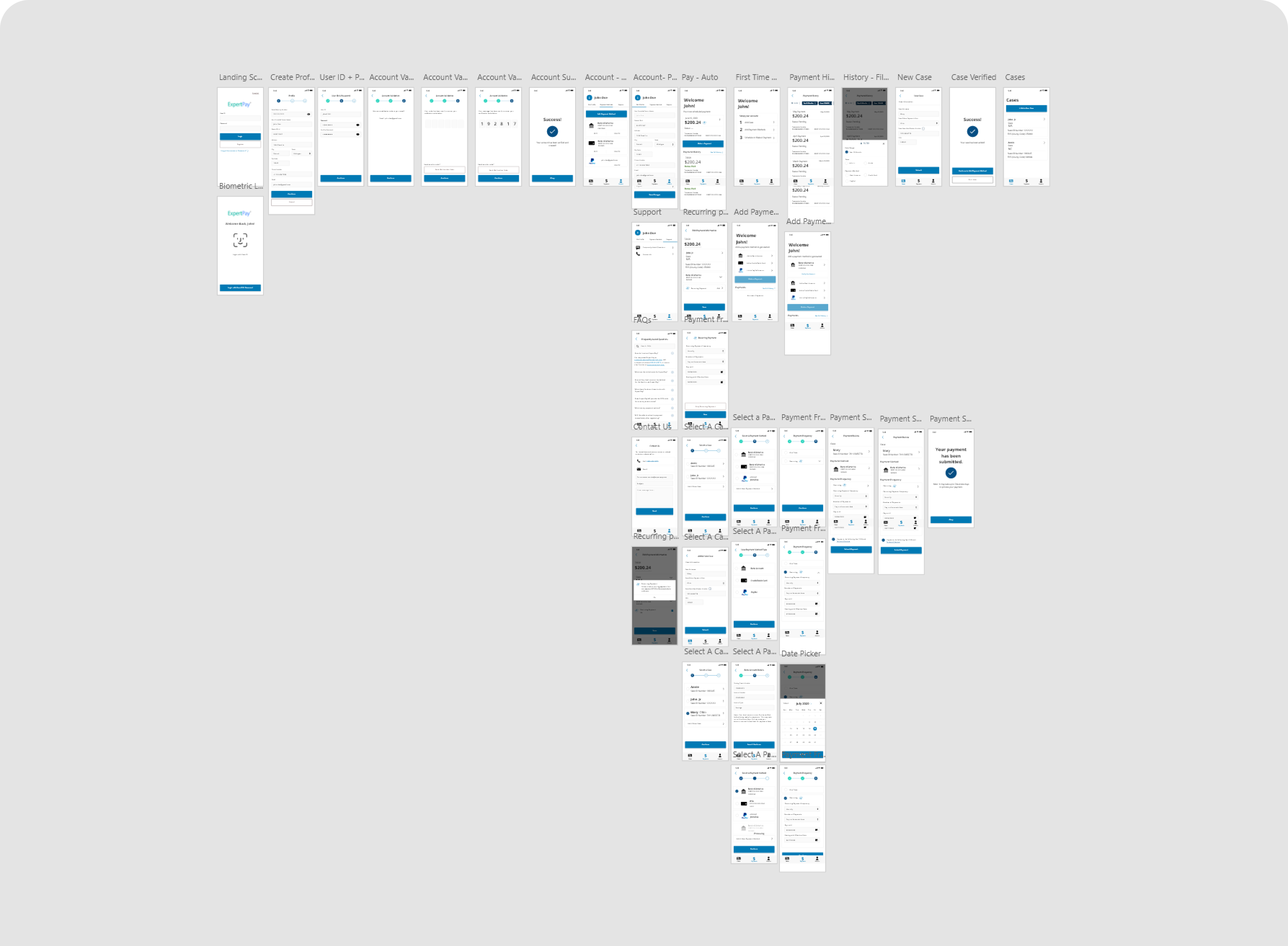

1. Proof of concept:
The project began with a focused proof of concept that translated the website sign-up flow into a mobile experience. Because the requirements were defined through user stories, the early design work was clear, focused, and efficient. The design was then presented to the client to secure funding.

- Scope expansion:
After a positive review with ExpertPay, the team secured funding to expand the work from sign-up into a full mobile app. I designed the core experience, including the dashboard, payment flows, scheduled payments, case management tools, and visual refinements aligned to the broader product style guide.
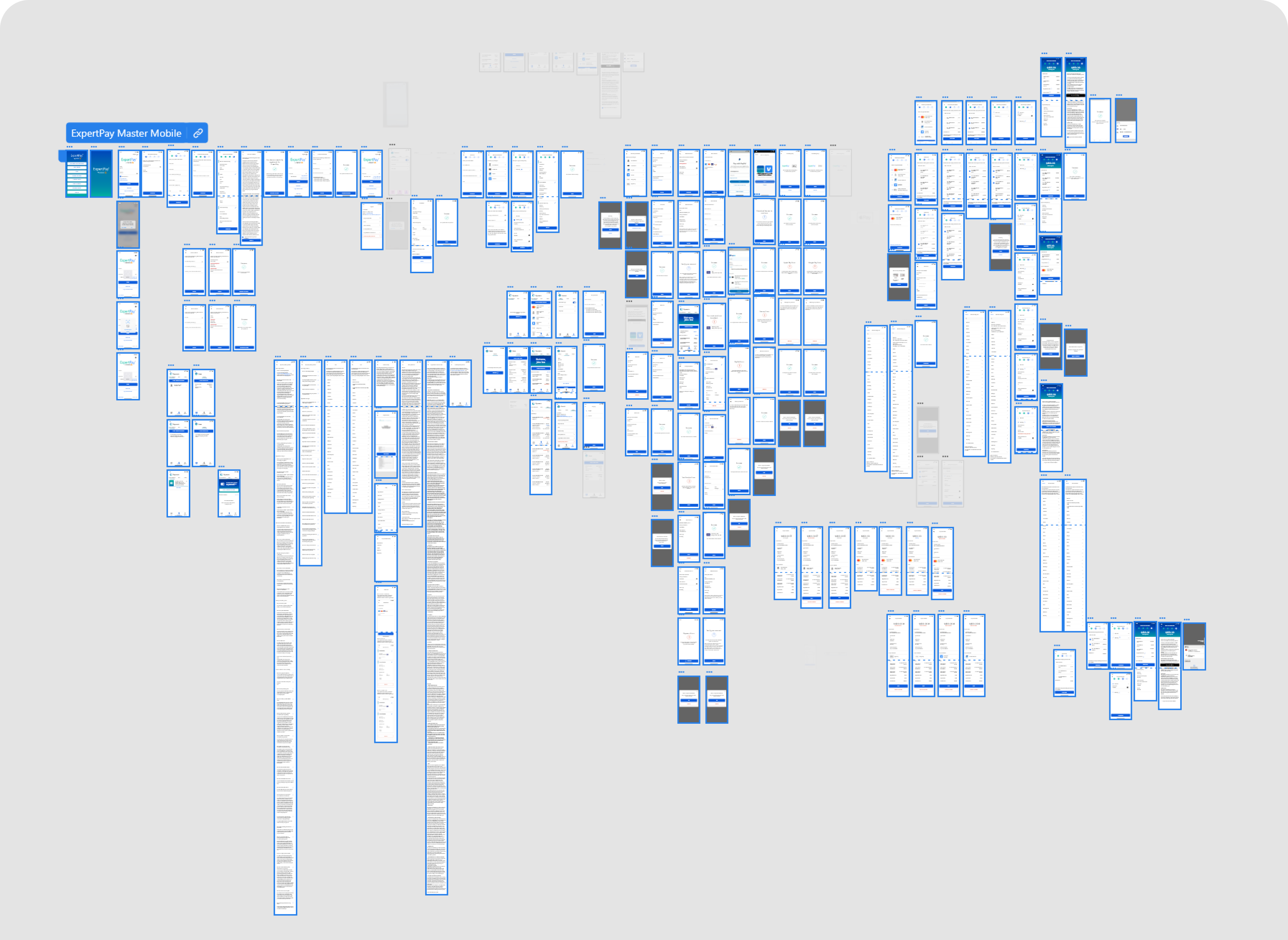
Assets, Colors, & Components
Developer Feedback
After the full app experience was mocked up, I shared the designs with the development team. The sign-up flow was prioritized for the first build, and I reviewed the implemented screens against the mockups to identify inconsistencies, provide feedback, and support design refinements.